Call Recorder – Cube ACR: Complete Guide, Features and Setup
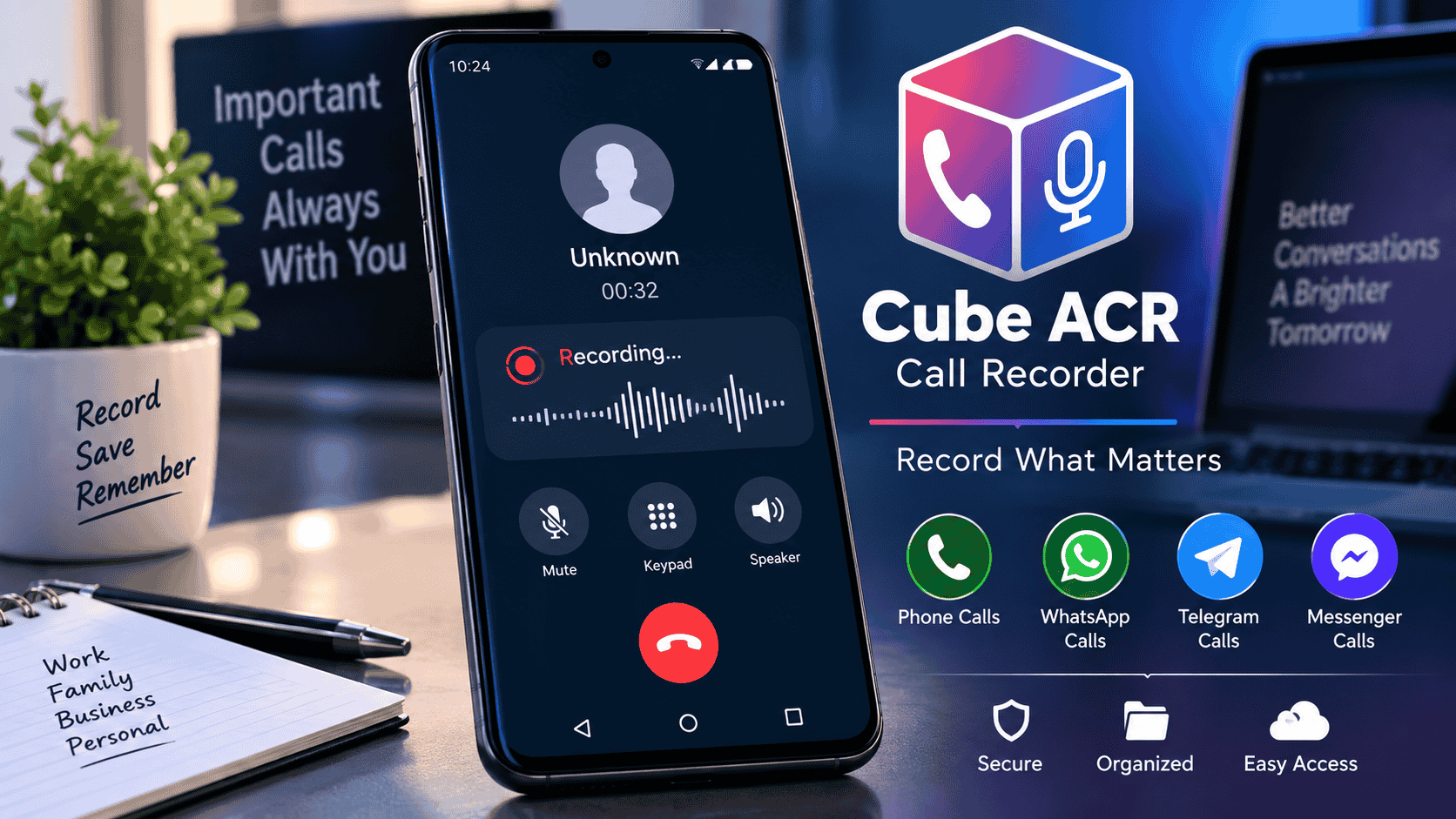
Call Recorder – Cube ACR is a popular call recording solution designed to help users record and manage phone conversations on compatible Android devices. It can be useful for keeping important conversations, interviews, business calls, and personal notes for later reference.
What Is Call Recorder – Cube ACR?
Call Recorder – Cube ACR is an application that provides call recording functionality on supported smartphones. Depending on the device, Android version, region, and calling service, the app may support regular phone calls as well as selected VoIP conversations.
One of its main advantages is that it brings recording and playback tools together in a single interface, making it easier to organize recorded conversations.
Key Features of Cube ACR
Before using Call Recorder – Cube ACR, it is useful to understand some of the features that may be available on compatible devices.
- Automatic call recording options
- Manual recording controls
- Audio playback for saved recordings
- Recording management and organization
- Support for selected VoIP calling services
- Options for managing recorded files
- Different recording settings depending on device compatibility
How to Set Up Call Recorder – Cube ACR
Setting up Call Recorder – Cube ACR generally involves installing the application, granting the permissions it requires, and configuring the recording settings.
Step 1: Install the App
Download and install the official Cube ACR application from a trusted source. Always check the app publisher before installing software.
Step 2: Grant Required Permissions
During setup, the application may request permissions related to microphone, phone, notifications, storage, or accessibility features. Review each permission carefully and only enable permissions you are comfortable granting.
Step 3: Configure Recording Settings
Open the application’s settings and review the available recording options. The available settings can vary depending on your smartphone manufacturer, Android version, and region.
Step 4: Test a Call
Make a test call and check whether the recording is captured correctly. If the audio is missing or only one side of the conversation is recorded, review the app’s troubleshooting settings and your device permissions.
Does Cube ACR Record Every Call?
Not necessarily. The performance of Call Recorder – Cube ACR can depend on your device model, Android version, calling method, carrier, region, and operating-system restrictions.
Some phones may support regular call recording while other devices may have limitations. VoIP recording can also vary between different services and device configurations.
Why Is Cube ACR Not Recording Calls?
If Call Recorder – Cube ACR is not recording properly, several factors could be responsible.
- Required permissions may be disabled.
- The device may restrict background activity.
- Battery optimization may interfere with the application.
- The Android version may have recording limitations.
- The selected calling service may not be supported.
- Manufacturer-specific restrictions may affect recording.
Start by checking the application’s permissions and battery settings. You can also review the official troubleshooting information for your particular device.
Is Call Recorder – Cube ACR Safe?
As with any application that handles sensitive audio recordings, users should consider privacy and security carefully. Install Call Recorder – Cube ACR only from a trusted source and review the permissions requested by the application.
Recorded conversations can contain sensitive personal or business information, so protect stored recordings and avoid sharing them with unauthorized people.
Call Recording Laws and Privacy
Call recording laws differ between countries, states, and regions. In some locations, recording a conversation may require the consent of one or more participants.
Before recording a conversation with Call Recorder – Cube ACR, make sure your use complies with the laws applicable to you and the other people involved in the call.
Advantages of Using Cube ACR
For compatible devices, Call Recorder – Cube ACR can make it easier to keep important conversations available for later review.
- Convenient call recording controls
- Easy access to saved recordings
- Useful for remembering important conversations
- Can support selected calling platforms
- Provides recording-related settings in one application
Frequently Asked Questions
What is Call Recorder – Cube ACR?
Call Recorder – Cube ACR is a call recording application designed for compatible Android devices and calling services.
Can Cube ACR record phone calls?
It can record calls on some compatible devices, but functionality depends on the phone, Android version, region, carrier, and other system restrictions.
Can Cube ACR record WhatsApp calls?
Cube ACR has offered support for selected VoIP services, but compatibility can change. Check the current app documentation and your device compatibility before relying on VoIP recording.
Why is my Cube ACR recording silent?
A silent recording can result from permissions, audio-source restrictions, battery optimization, Android limitations, or device compatibility issues.
Is Cube ACR free?
Cube ACR may provide free functionality along with optional premium features. Available features and pricing can change over time, so check the current official listing for the latest details.
Final Verdict
Call Recorder – Cube ACR can be a useful option for Android users who need to record important conversations on compatible devices. Its actual recording performance depends heavily on the smartphone model, operating system, calling service, and regional restrictions.
Before using any call recording application, check device compatibility, review permissions, protect your recordings, and follow applicable call-recording and privacy laws.