How to Appeal a Blocked WhatsApp Account
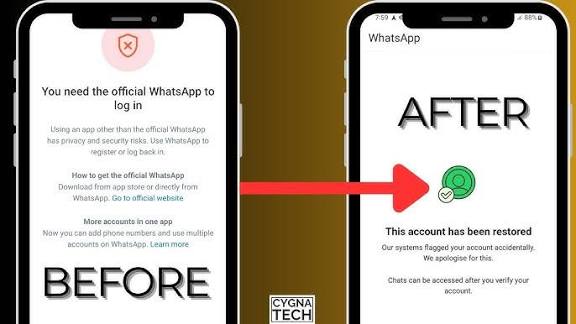
If your WhatsApp account has been blocked or banned, you are not alone. Many users face this issue due to automated systems or unintentional policy violations. The good news is that WhatsApp provides an official way to submit an appeal and request a review of your account.
In this article, you will learn how to appeal a blocked WhatsApp account, the official appeal link, and a ready-to-use appeal message that you can copy and submit easily.
Why WhatsApp Accounts Get Blocked
WhatsApp may block an account if it detects activities such as bulk messaging, use of unofficial apps, automation tools, or behavior that appears suspicious. Sometimes, genuine users also get blocked by mistake. That is why WhatsApp allows users to submit an appeal.
Official WhatsApp Appeal Link
Use the official WhatsApp support page below to submit your appeal:
👉
https://www.whatsapp.com/contact/?subject=messenger
Open the link, enter your phone number with country code, your email address, and then paste the appeal message given below.
WhatsApp Appeal Message (Copy & Paste)
Hello WhatsApp Support Team,My WhatsApp account associated with the phone number +92 3140000000 has been blocked.
I believe this block may be a mistake. I always try to follow WhatsApp’s Terms of Service and Community Guidelines. I do not use any unofficial apps, automation tools, or bulk messaging services.
If any action from my side violated the rules unknowingly, I sincerely apologize and assure you it will not happen again.
I kindly request you to review my account and restore access, as this number is very important for my personal and professional communication.
Thank you for your time and support.
Best regards,
Ahmed Khan
https://www.whatsapp.com/contact/?subject=messenger
Final Tips
Always submit appeals using the official WhatsApp link only. Avoid sending multiple appeals in a short time, as this may delay the review. After submitting the appeal, wait patiently for WhatsApp’s response via email.
If your appeal is approved, your WhatsApp account will be restored automatically. If not, you may need to wait and try again after some time.